Staying Connected on the Road
Staying connected to the internet while traveling, particularly in less developed countries, can be a challenge. Hotel WiFi may work sporadically, or not at all; using a smartphone while visiting another country is prohibitively expensive; and a failed connection always seems to happen at the worst possible time.
Staying connected can be challenging in developed countries as well. For example, WiFi at conferences is often overloaded and unbearably slow once you finally connect, hotel WiFi is not always up to par, and smartphone data networks may be limited outside of major cities. Is there any way around these kinds of problems?
USB Modems
The simplest way to to keep your computer connected to the internet in another country, if it is available, is to purchase a USB modem from a local carrier. You will also need to purchase data, and I'd recommend 5 gigs of data for a trip of 7 to 10 days. That's probably more than all but the heaviest users will need, but running out can be troublesome, so the insurance is worth it. (That recommendation is for standard uses. If you have lots of pictures or videos to upload, it is probably best to wait until you have a WiFi connection available as these can chew up data at a rapid rate.)
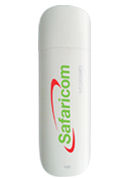
Unfortunately, USB modems aren't always available, and unlike the SIM card method described next, it does not give you a local phone for use within the country. But when it's available, it's relatively simple and convenient. (When you go to the store to purchase the modem, bring your computer along so that it can be tested before leaving, and in case software needs to be installed.)
SIM Cards and Smartphone Tethering
A second way to stay connected, and the one I rely upon the most, is to purchase a SIM card and data from a local carrier. You can usually purchase a SIM card at the airport, or simply ask where you can get one at the hotel.
To make this possible, I purchased an unlocked iPhone from Apple. It costs more than the iPhone versions that are locked to either AT&T or Verizon (because there is no required two year contract), but if you travel frequently I think it's worth it. It doesn't have to be an iPhone, but it does need to be unlocked and allow tethering to your computer. (Tethering is done through a connection between the computer's USB port and your phone, through a Bluetooth connection, or through a WiFi connection coming from the phone -- iPhones allow all three types of connection).
For more occasional travel, you can also purchase a relatively cheap phone from a local carrier, but again it must be able to access the internet and allow tethering. (Another option is to purchase a USB modem as described above for your computer, and a cheap phone to use for calls. In that case, the phone does not need to be able to access the internet.)
One note on SIM cards. The plans often limit you to something like 200 mb of data per day, or 2 gig per month depending on the plan you choose when you purchase the card. If you go beyond that limit, you can still access the internet, but the connection slows down considerably. For that reason, the USB option described above is better for heavy users. Sometimes there is no limit with SIM cards -- for example, you can buy data by the gig and reload as needed with Safaricom in Kenya -- but most of the time there is a limit on the data you can use. If you can, try to find this out in advance on the internet before arriving at your destination so you know what options you'll have. (Also, while you're at the store be sure to ask how to check to see how much data remains on your plan.)
I used the SIM card method on a recent trip to Kenya with the IRP, and it worked well. I purchased a SIM card from Safaricom and, out of an abundance of caution, 10 gig of data. This was
invaluable when the WiFi at our hotel -- one of the nicest in Nairobi -- would fade out, as happened often, or, as when we were in Kisumu, the hotel WiFi didn't work at all.
At those times, I was still able to connect, and I was also able to create a hotspot to share the connection with up to five other people in the group. Most of the time it was only two or three of us,
and we were all able to connect at relatively fast speeds, certainly fast enough to do standard types of work.
It was also useful to have the ability to connect through the Safaricom card on my iPhone when we were in transit in small buses. I'd create a hotspot from my iPhone so that everyone traveling with me could work on the internet, and except for occasional spots where there was no coverage -- and there were surprisingly few of those -- this also worked well.
Having the ability to connect through a SIM card also came in handy when we were at the airports in Nairobi and Kisumu. I was able to allow people in the group to connect to the internet without having to pay the high airport fees for WiFi. People at the airport kept asking us how we were able to connect, and were disappointed to find out it wouldn't work for them.
It would have been better, in retrospect, if all of us had purchased a USB data modem from Safaricom. Then others in the group wouldn't have had to rely on me to connect. Even so, it was an effective way to provide connectivity to the group.
On a recent trip to Germany, the hotel WiFi only worked part of the time -- it would fade in and out -- and it didn't work at all at the conference I was attending. But I had purchased a SIM card for my iPhone from O2 upon arrival along with 2 gigs of data, and that was enough to keep me connected when everyone else was grumbling. It wasn't quite enough data to last me the whole week, but it was enough to make a big difference and I was able to keep up with and post to my blog when most everyone else couldn't connect at all.
Within the United States
Connectivity within the United States is generally not a problem. Almost all hotels have WiFi, though it can be expensive at some places. When WiFi is unavailable, I can do my work on the iPad I carry with me or tether my computer to my iPhone or my iPad. When 4G is available, the speed is acceptable, enough so that it is a decent alternative to paying for hotel WiFi.
However, conferences are a different story.
I have been to too many conferences where the WiFi didn't work because so many people were trying to connect at once, and where AT&T was also jammed and my iPhone couldn't connect either. For these occasions, I also carry an iPad in addition to my iPhone and computer, and I intentionally put the iPad on the Verizon network. (That is, my iPhone is AT&T and my iPad is Verizon.)
At conferences when AT&T is slow or unavailable, Verizon usually works and I can tether my computer to the iPad. This has saved me more than once at conferences. (And if you really want to be safe, and you have an unlocked iPhone, you can usually get onto T-Mobile at conferences if both AT&T and Verizon are not working. It's $3 presently for one day with 200mb of data at high speed, and with unlimited data at lower speed. But that is overkill; having Verizon on the iPad as a backup has always been enough for me.)
Having an iPhone and an iPad on different networks can also be helpful when traveling outside of major cities.
For example, I was recently traveling in Maine and the AT&T network was slow; it was mostly Edge instead of 3G or 4G when it was available at all. But the Verizon network was almost always present, and much, much faster. So I was still able to connect my computer to the internet through my iPad even though the iPhone connection was slow.
I mostly relied upon hotel WiFi, so I didn't need this much, but it allowed me to do quick email and internet checks while out and about during the day. It was also nice to have when it was needed. (I should note that I've encountered the opposite as well: AT&T works well but Verizon does not.)
Tethering
Most carriers allow tethering. However, on occasion when you purchase a SIM card for an unlocked phone, the option to tether does not appear. But if you have an iPhone, and if you are willing to jailbreak it, this is easy to overcome. To jailbreak the phone, use a free program called absinthe. Download it, run the program, and simply follow the instructions. Jailbreaking the phone -- which is reversible -- amounts to clicking on a single button. After that, purchase a program called "MiWi" through the Cydia app that installs when the phone is jailbroken, and that will allow the iPhone to be tethered to any carrier. (It will also allow tethering to WiFi connections.)
Summary
Within the United States, I rely on WiFi connections whenever possible, and tether to my iPhone (AT&T or T-Mobile) or iPad (Verizon) as a backup. For the most part, relying upon WiFi is sufficient, but the ability to tether to my iPhone or iPad is essential for mobile or on-site connectivity, at conferences, and for the times when WiFi goes down.
Outside of the United States I also rely upon WiFi as much as possible, usually at hotels, and it is much better than it used to be. But having a backup available -- either through a USB modem or through a SIM card for a smartphone with tethering -- can save the day, or at least the day's work.
The backup is only as good as the coverage and reliability of the local carrier issuing the modem or SIM card, and in developed countries that is not a big problem. But even in some developing countries like Kenya, the network is surprisingly good.
Mark Thoma, founder of Economist's View, reported from Kenya on a trip with the International Reporting Project (IRP).
More from this Reporter
- Sarah Obama: Barack Was Born in America
- Mark Thoma Reports From Kenya
- The Water Project at Ol Pejeta Conservatory
- Kenya’s Mobile Money Transfer System
- Kenya’s Ownership Society
- Evaluating the Millennium Villages
- Mama Sarah Obama
- The Pumwani Maternity Ward
- Kenya’s Kibera Slum